
Stop beating your head against the wall! Make PowerPoint the last thing you do.
A colleague asked me recently, “What’s the fastest way to create a PowerPoint presentation without getting bogged down with design issues and graphical elements?”
That’s easy, I said.
Use a text editor!
Here’s how.
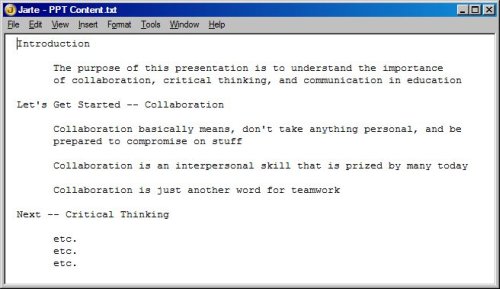
- Write and edit your content using Windows Notepad or a Windows Notepad alternative like Jarte, my favorite. Be sure to use the tab key to create an outlined document. (See below.)
- Save your file, and launch PowerPoint.
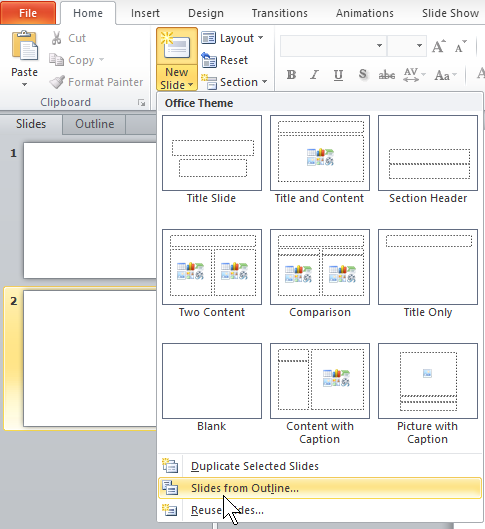
- On the Home tab, in the Slides group, click the arrow next to New Slide, and then click Slides from Outline.
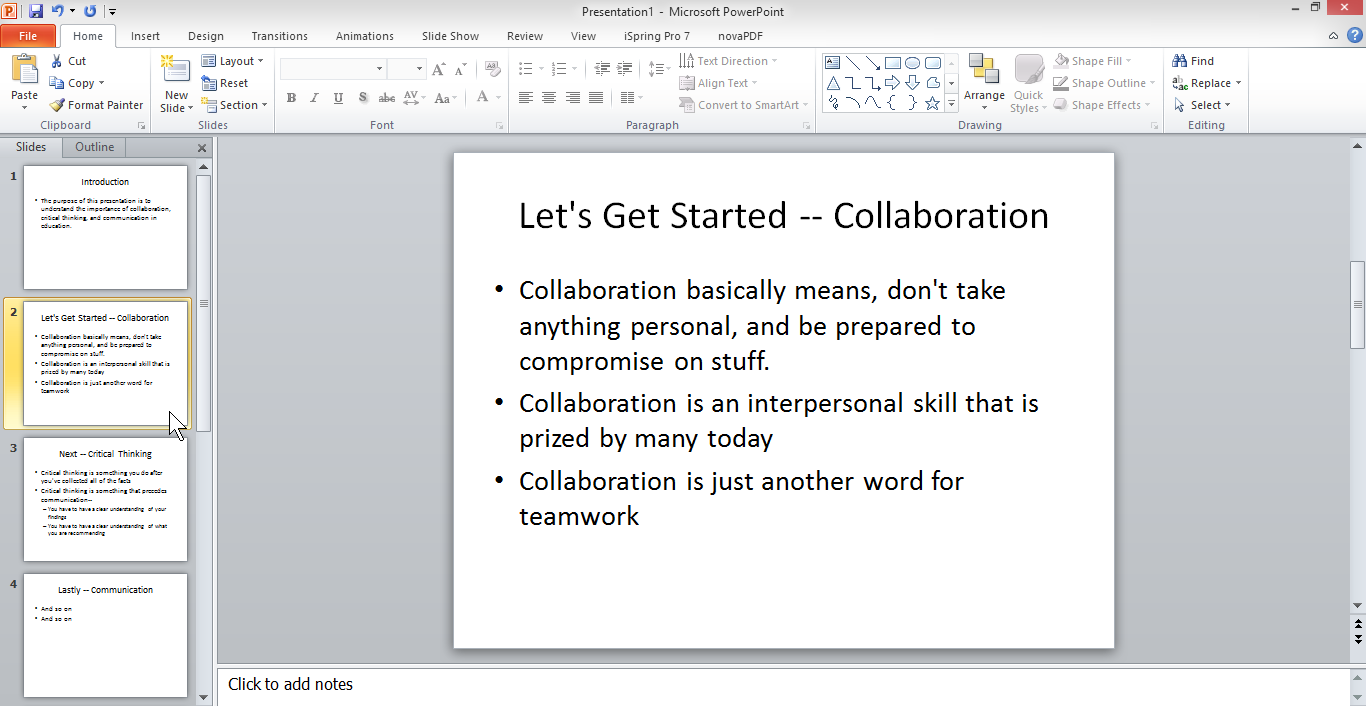
- Next, locate and double-click on your text file. PowerPoint imports and formats the content automatically. (See below.)
- From the Design menu, select and apply a design. Here’s an example:
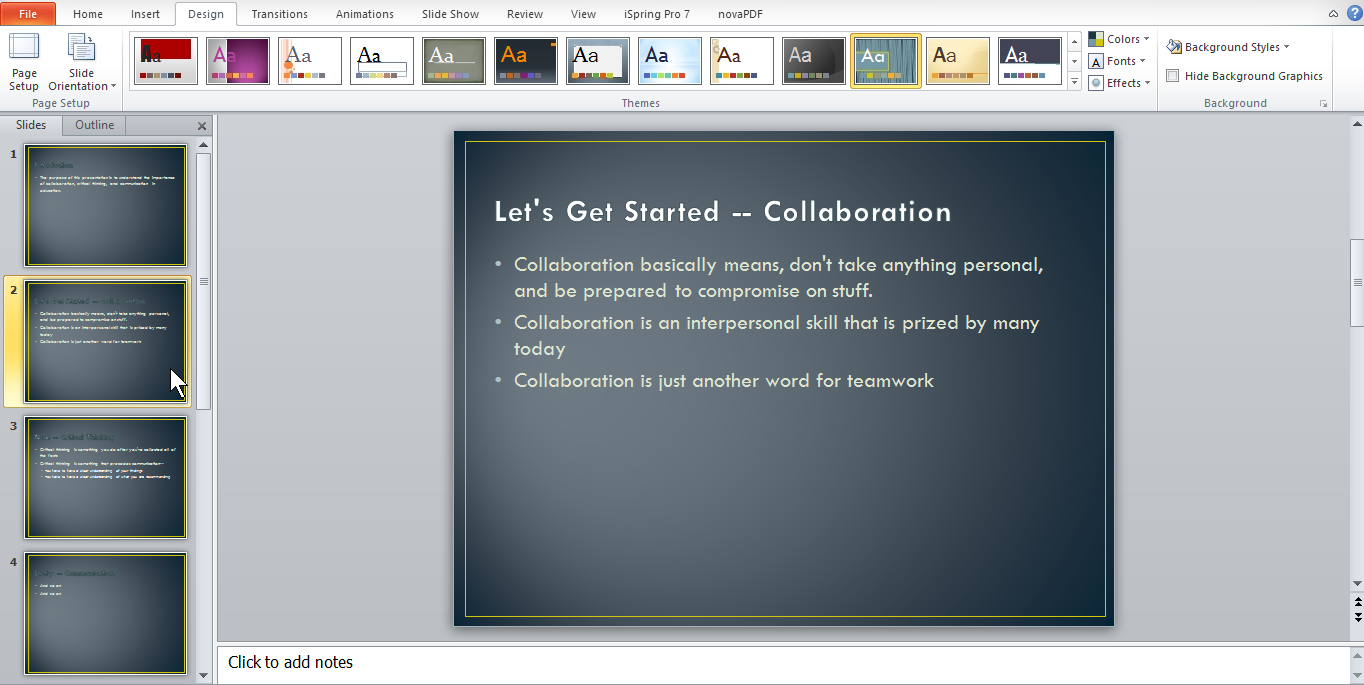
That’s it! You’ll be amazed at the quick results.*
From now on, focus on your message first, and then use PowerPoint to give your content an extra lift.
*If you have charts or images to insert, just drag and drop them in the proper locations in PowerPoint.. Re-size as appropriate.
-gc.